
Configuration
Every setting is a convar in server.cfg. All of them are optional.
Without any setting, the interface uses the Liquid Dark preset. To change it, pick a preset, then add only the lines you want to change.
setr ox:theme "vyro-violet"setr ox:accentColor "#ff375f"The theme editor builds these lines for you: tune the theme in game, then use Copy for server.cfg.
All settings
Section titled “All settings”| Convar | Values | Default | What it does |
|---|---|---|---|
ox:theme |
liquid-dark, liquid-light, vyro-violet, graphite |
liquid-dark |
Preset used as the starting point. |
ox:accentColor |
Any hex color, like #0a84ff |
From the preset | Buttons, selections, sliders and progress bars. |
ox:glassMode |
dark, light, auto |
From the preset | auto is light from 07:00 to 20:00 in-game time, dark otherwise. |
ox:glassOpacity |
0.2 to 0.95 |
From the preset | How much of the game shows through the glass. Higher is more opaque. |
ox:glassTint |
0 to 1 |
From the preset | How much the accent color tints the glass. |
ox:glassShine |
0 to 1 |
From the preset | Strength of the light rim and highlight. |
ox:glassGrain |
1 or 0 |
1 |
Fine grain on the glass. |
ox:glassRadius |
4 to 32 |
From the preset | Corner radius, in pixels at 1080p. |
ox:uiScale |
0.75 to 1.5 |
1 |
Size of the whole interface. |
ox:progressStyle |
classic, island |
classic |
island shows progress in a black pill at the top of the screen. |
ox:radialStyle |
bubbles, disc, ring, petals, dial, fan, hex |
bubbles |
Shape of the radial menu. See Radial menu. |
ox:dialogBlur |
1 or 0 |
1 |
Blurs the game behind input and alert dialogs. |
ox:reducedMotion |
1 or 0 |
0 |
Replaces spring animations with simple fades. |
ox:successColor |
Any hex color | #30d158 |
Success notifications and states. |
ox:errorColor |
Any hex color | #ff453a |
Error notifications and states. |
ox:warningColor |
Any hex color | #ff9f0a |
Warning notifications and states. |
ox:infoColor |
Any hex color | #64d2ff |
Info notifications. |
Values outside a range are clamped, and unknown values are ignored.
Presets
Section titled “Presets”| Preset | Accent | Glass | Opacity | Tint | Shine | Radius |
|---|---|---|---|---|---|---|
liquid-dark |
#0a84ff |
dark | 0.62 | 0.15 | 0.7 | 18 |
liquid-light |
#0a84ff |
light | 0.68 | 0.08 | 0.85 | 18 |
vyro-violet |
#a855f7 |
dark | 0.66 | 0.35 | 0.75 | 16 |
graphite |
#8e8e93 |
dark | 0.76 | 0 | 0.45 | 12 |
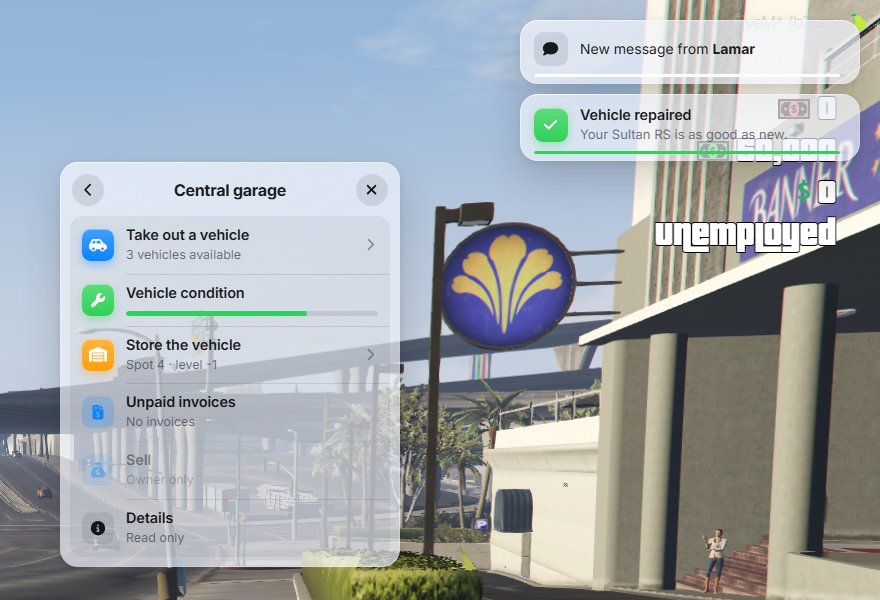
Examples
Section titled “Examples”setr ox:theme "liquid-dark"setr ox:glassMode "auto"setr ox:theme "liquid-dark"setr ox:accentColor "#ff9f0a"setr ox:glassTint "0.3"setr ox:uiScale "1.15"setr ox:reducedMotion "1"setr ox:dialogBlur "0"Which setting wins
Section titled “Which setting wins”From strongest to weakest:
- The appearance a player picks in
/ox_lib(dark, light or auto). It only changes the glass mode. - The theme saved in game with
/oxtheme. - The
ox:*lines inserver.cfg. - The preset defaults.
If your server.cfg changes seem to do nothing, a theme was probably saved with /oxtheme. Open the editor and click Use server.cfg to delete it.
Settings from the official ox_lib
Section titled “Settings from the official ox_lib”ox:primaryColorstill works while neitherox:themenorox:accentColoris set. It takes the same color names as before, likeblueorviolet.ox:primaryShadeis ignored: the accent color is used as it is.- Every other ox_lib convar, like
ox:localeorox:userLocales, works as in the official documentation.