
Targeting
The crosshairs, the option styles, cursor mode, and everything else that changes on screen.
Hold Left Alt to start targeting, as with the official ox_target. Players can change the key in Settings › Key Bindings › FiveM, or switch to pressing it once in /oxtarget.
Crosshairs
Section titled “Crosshairs”The crosshair sits in the middle of the screen. It takes the accent color when what you aim at has options.
| Crosshair | Value | Look |
|---|---|---|
| Mini eye | minieye |
A small eye. The default. |
| Eye | eye |
An eye in a glass bubble. |
| Dot | dot |
A dot in a ring. |
| Corners | ticks |
Four corners around the center. |
| Mini dot | minidot |
A single small dot. |
Option styles
Section titled “Option styles”The options show next to the crosshair as soon as you aim at something usable.
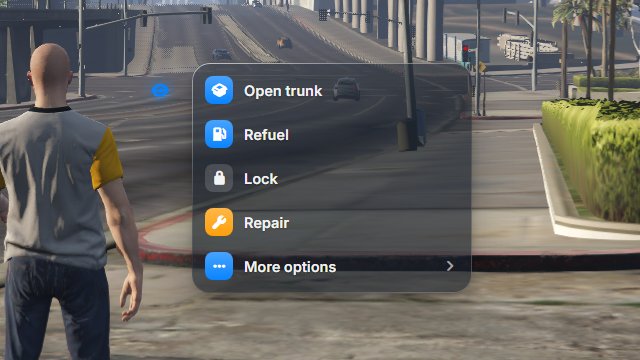
A glass panel, one row per option. The default.
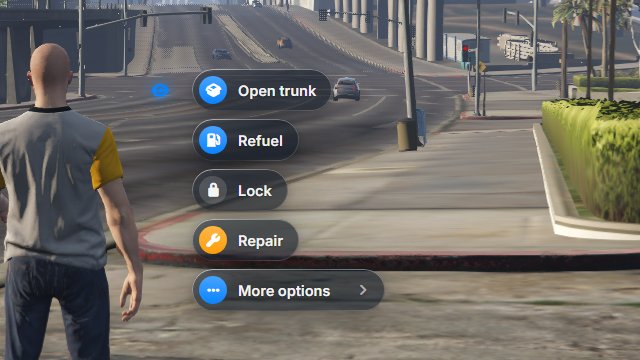
One small glass pill per option.
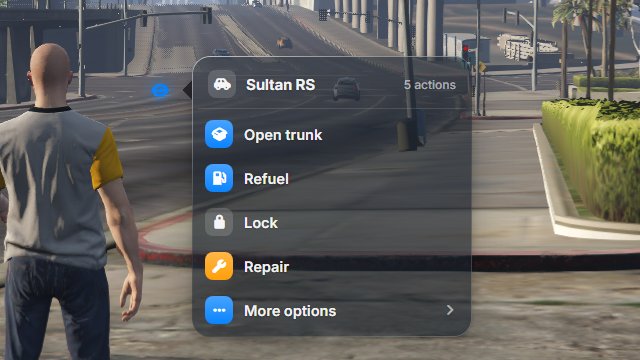
A panel titled with what you aim at, and its number of actions. Vehicles show their model name; people, objects and areas show their kind.
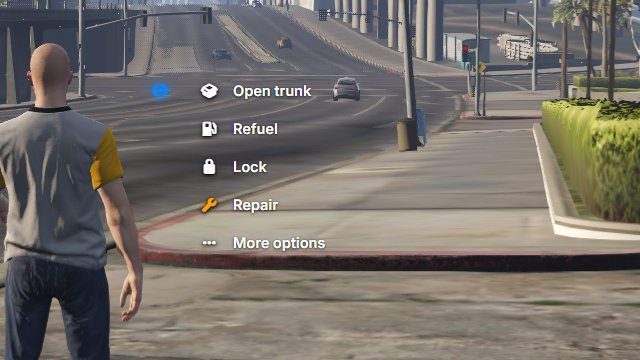
Text and icons only, without a panel.
Picking an option
Section titled “Picking an option”- While you aim at something, click with the left mouse button. The cursor shows on the options.
- Click an option. Targeting ends, and the option does its job.
An option with an arrow opens a submenu. Go back, at the top, returns to the previous one.
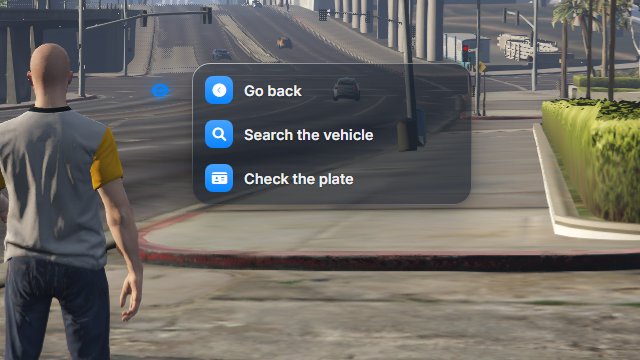
Shortcuts
Section titled “Shortcuts”Once the cursor shows, the keys 1 to 9 pick an option, and the numbers appear next to them. They only work while the options have the cursor, so they never clash with an inventory hotbar.
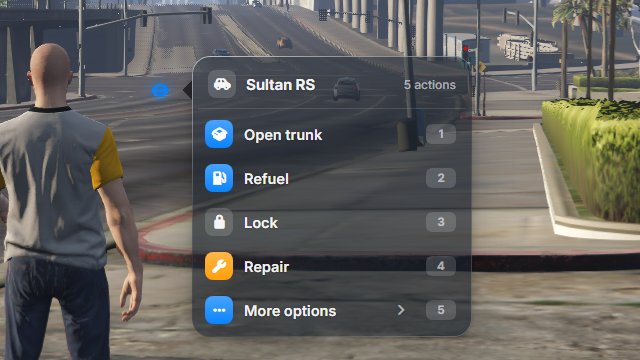
Cursor mode
Section titled “Cursor mode”In cursor mode (ox_target:mode "cursor", or in /oxtarget), holding the key shows a small pointer instead of the crosshair, and you aim with the mouse.
- Over something usable, the pointer takes the accent color and the name of what it points at follows it.
- A click opens the options right there.
- Escape, or a click elsewhere, closes them.
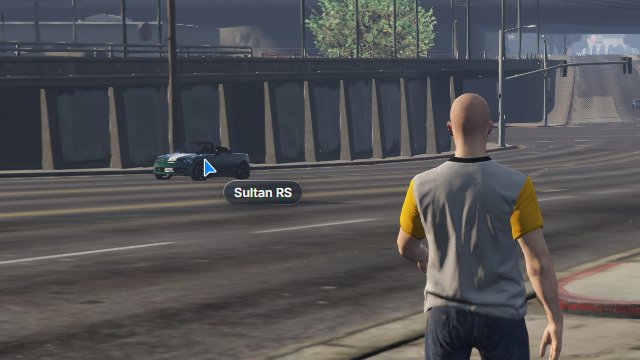
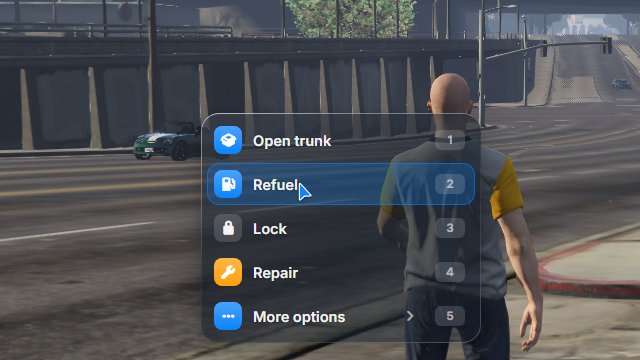
The pointer is an arrow or a dot (ox_target:cursor). The game camera doesn’t turn while you aim with the mouse.
Highlight
Section titled “Highlight”The vehicle or object you aim at gets an outline in the accent color, and people get a small marker above their head. People are never outlined, because outlining a ped makes the game crash. Turn it off with ox_target:highlight "0".
Each option’s icon sits in a colored tile:
- the
iconColora script gives fills the tile; - white, grey, black and transparent colors give a frosted tile instead, so the icon stays readable on every theme;
- without
iconColor, the tile takes the accent color.
Sounds and motion
Section titled “Sounds and motion”- Soft sounds play on hover and select (
ox_target:sounds). - Reduced motion, in
/oxtarget, replaces the bounces with simple fades.