Theme editor
Tune the theme in game with a live preview, then apply it to every player.
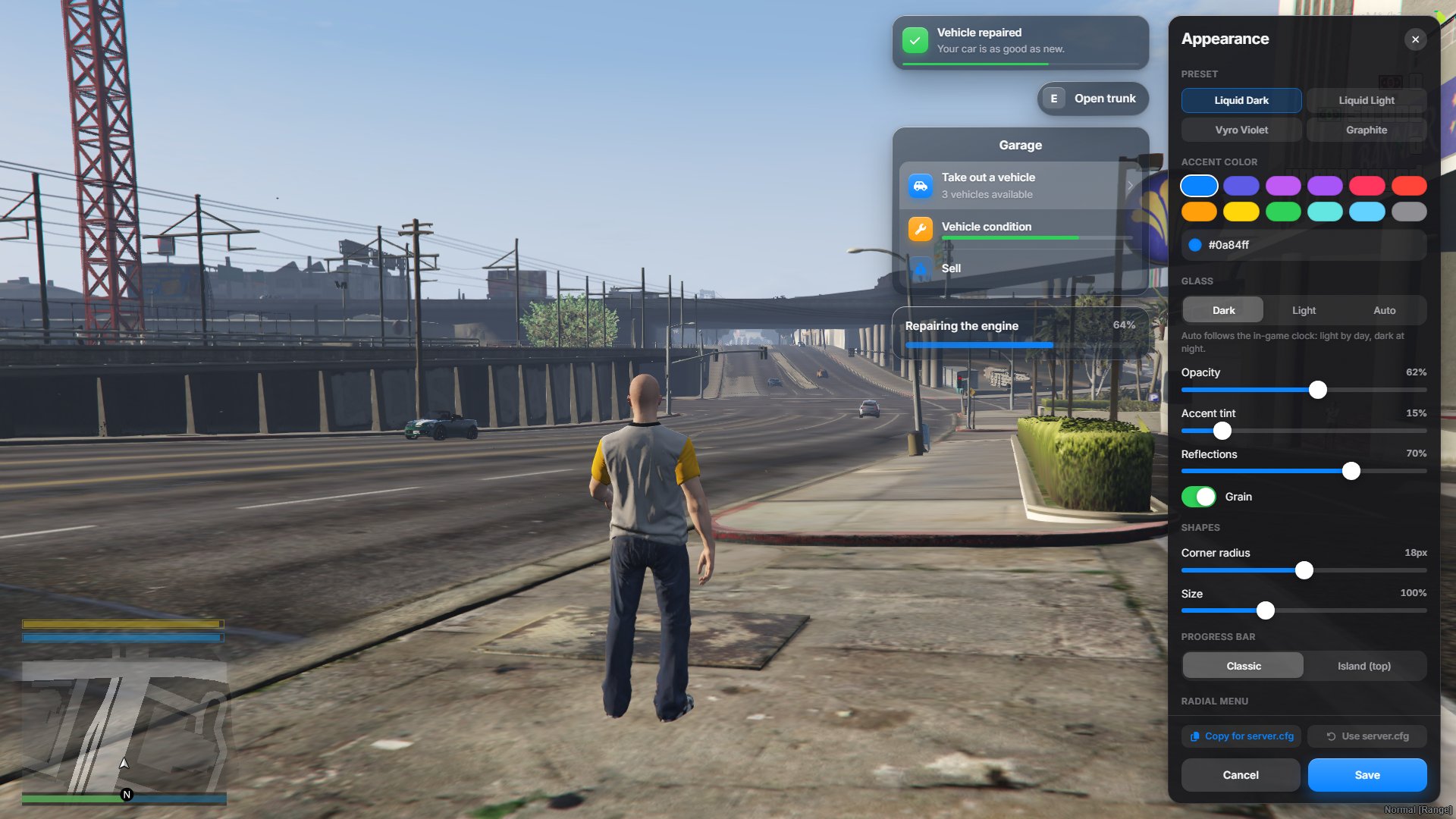
Type /oxtheme in game. A settings panel opens on the right, with a preview of each component next to it. Every change shows up at once, but only on your screen until you save.
Buttons
Section titled “Buttons”| Button | What it does |
|---|---|
| Save | Applies the theme to every connected player right away and keeps it across restarts. It takes priority over the server.cfg lines. |
| Cancel | Closes the editor and drops your changes. Escape does the same. |
| Copy for server.cfg | Copies the matching setr lines, so you can keep everything in server.cfg instead of saving in game. Only the settings that differ from the preset are listed. |
| Use server.cfg | Deletes the theme saved in game. The server goes back to its server.cfg lines. |
The saved theme is stored by the server, not in the resource folder, so it survives an ox_lib update.
Permissions
Section titled “Permissions”The command needs the command.oxtheme ace. The server checks it again when you save, so players can’t save a theme by other means.
Admins already have it: the Qbox recipe gives group.admin every command.
add_ace group.admin command allowThe QBCore recipe gives every command to qbcore.god, through group.admin. To also let qbcore.admin use the editor:
add_ace qbcore.admin command.oxtheme allowESX gives the group.admin principal to players in the admin group, and the ESX Legacy recipe gives that group every command. Nothing to add.
If your server.cfg doesn’t have add_ace group.admin command allow, add only this command:
add_ace group.admin command.oxtheme allowGive the ace to a group, then add your admins to it:
add_ace group.admin command.oxtheme allowadd_principal identifier.fivem:1234567 group.adminRadial menu shape
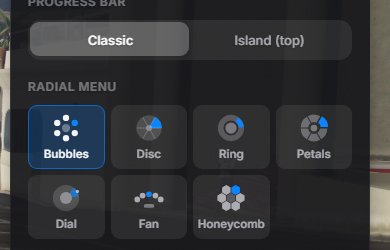
Section titled “Radial menu shape”The editor has a Radial menu section with the seven shapes. Pick one and save: players see it the next time they open the radial menu.